

Learn smarter, at your own pace
School, a little easier
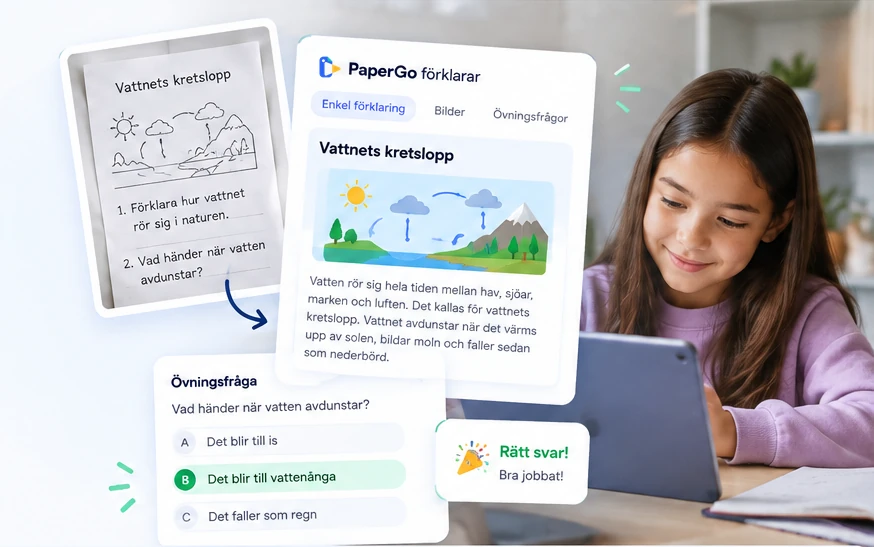
Upload school material and get clear explanations, step by step. For every subject, at your level.
As a parent, you are always in control.
For pupils aged 9–15 in Sweden
Understand the content
Get clear explanations, step by step, adapted to your level.
Practise at your pace
Get practice questions and examples so the knowledge sticks.
Follow the progress
See what you have learned and what to practise more.
How PaperGo works

Upload
Take a photo or upload a PDF of the assignment.

Understand
PaperGo explains the content with clear explanations, pictures and examples.
Practise and learn
Your child gets tailored questions, instant feedback and a personal learning experience.
For parents
You and your child each have an account. You say yes to your child's account.
 Your child can create the account alone. You get an e-mail and approve it.
- Your child logs in with a username or Google, and never sees the parent pages.
- Each child has a tab of their own on the parent page, with what they have practised.
Safe and secure
Built for children – with as little data as possible.
- We only store what is needed for your child to learn.
- Your child's material and results are visible only to you.
- No ads. Learning data is never used for advertising.
- Video tips come from Swedish sources for children: UR Play, SVT Play and Matteboken.
Frequently asked questions
What material works?
Photos of worksheets, screenshots, scanned pages and PDF files from school.
Does my child need to know how to prompt an AI?
No. PaperGo leads the lesson step by step: pictures, key words, questions and a short test.
Does PaperGo make up its own facts?
No. Explanations and questions are based on your document, and you can see what comes from it.
Is there support in other languages?
Lessons are in Swedish. Key words can also be shown in English.